Description
The Google Play package linked here is a straightforward piano-tile rhythm game built around tapping notes and unlocking songs. Its immediate controls suit casual play, but advertising, uneven song licensing, and inconsistent store identity require caution.
Magic Level 9 Music Piano Game Review
The product information attached to this entry is inconsistent. The Google Play package points to a modern music-tile game that has used branding such as Piano Secret Tiles, while the Apple link points to an older application simply titled Piano from a different product history. This review therefore focuses on the Android package identified by the listing rather than treating both links as guaranteed versions of one game.
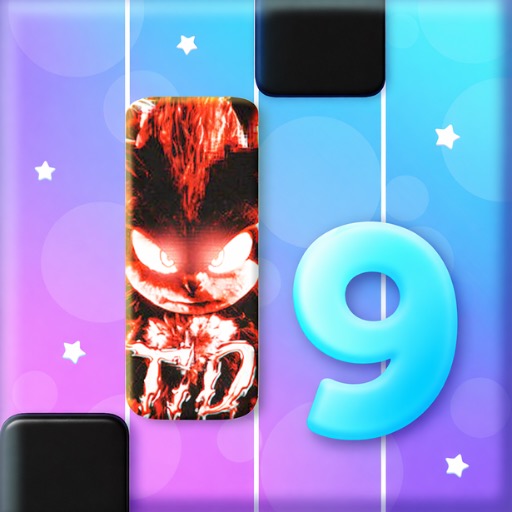
Play follows the familiar piano-tile format. Notes or dark tiles travel through several lanes, and the player taps them in time with the music while avoiding empty spaces. Some songs introduce held notes, rapid alternation, or increasing speed.
Successful performances unlock additional tracks, themes, gifts, or progression milestones. The format works because the first interaction needs almost no explanation. Visual lanes provide timing information, and familiar musical patterns help the player anticipate the next sequence.
A short song can be completed during a brief break, while repeated attempts offer a simple score-improvement goal. The surrounding product is less consistent than the core rhythm play. Song catalogs can change, recognizable recordings may not always be the original artist version, and advertisements or reward prompts can interrupt retries.
The title and screenshots may also change as the publisher updates store positioning. Players should inspect the current listing, developer name, privacy terms, and subscription or purchase options before installation. As a casual rhythm game it is accessible; as a definitive piano-learning tool or stable licensed music library, it should not be presented.
Base Info
Official Sources
LumenPlays points players to official store and publisher pages where available. Use these links to review current pricing, availability, privacy details, and device requirements.
Screenshots
How to Play Magic Level 9 Music Piano Game
Open the current song list and begin with an easy or slower track. Hold the device securely and position one finger or thumb over each side of the note lanes. Tap a tile when it reaches the scoring area; tapping an empty lane or missing a required note usually ends the run or reduces the score.
For long tiles, press at the start and keep contact until the tail finishes. Rapid sequences are easier when alternating fingers instead of trying to cover every note with one hand. Follow the rhythm of the audio, but continue watching the lane because visual timing may differ slightly between devices.
Replay a difficult section to learn its pattern rather than tapping faster at random. If calibration or timing settings are available, adjust them when correct taps consistently register early or late. Reduce background processes and use headphones if device speakers make the beat unclear.
Review reward prompts before accepting advertisements, and check whether a trial becomes a paid subscription. Because the Android and Apple links associated with this record do not clearly identify the same product, install only from the store page whose package and developer match the intended game.
Pros
- The core tapping rule is immediately understandable.
- Short songs work well for quick sessions.
- Different note patterns test rhythm and reaction.
- Score chasing gives tracks replay value.
Cons
- Store naming and linked product identity are inconsistent.
- Advertisements can interrupt repeated attempts.
- The catalog may not use original licensed recordings.
Beginner Tips
- Begin with slower songs to learn the scoring line.
- Alternate two fingers during rapid passages.
- Hold sustained tiles until their tails finish.
- Adjust timing settings if every note registers early or late.
- Verify the package and developer before installing.
FAQ
Is this the same app on Android and iPhone?
The supplied links appear to identify different product histories, so users should not assume features or purchases transfer between them.
Does the game teach real piano technique?
No. It practices visual timing and rhythm tapping, not keyboard position, reading notation, or physical piano technique.
Why might the game have a different title in the store?
Mobile publishers sometimes change branding and descriptions while retaining the same Android package.
Are all songs original artist recordings?
Not necessarily. Players should check the current listing and in-game credits for licensing and recording information.
Similar Games