Description
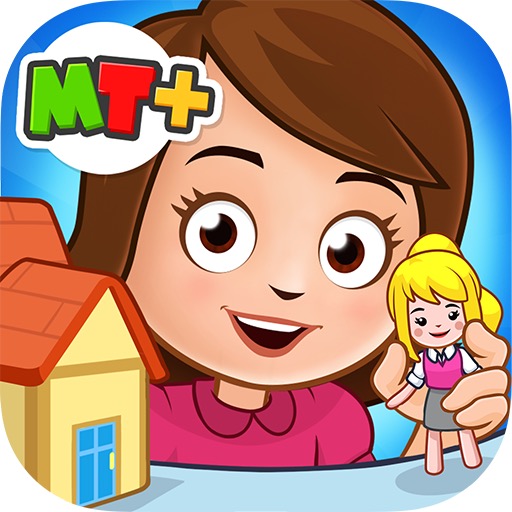
My Town Home is an open-ended digital dollhouse where children move family members, objects, food, and clothing through everyday scenes. It supports imaginative storytelling, but ads, purchases, privacy, and limited educational depth require adult supervision.
My Town Home - Family games Review
My Town Home is a digital playset rather than a game with levels or a winning condition. Players explore rooms in a family house, place characters in scenes, change clothes, prepare food, open cupboards, use household objects, and invent their own stories. The lack of fixed objectives is its strongest feature.
A child can stage breakfast, a birthday, bedtime, a disagreement, or any other routine without the app grading the result. Objects respond with simple animations, and characters can be moved freely enough to support pretend play. The experience is also limited by its boundaries.
Interactions have predefined outcomes, rooms eventually become familiar, and the app cannot match the flexibility of physical figures or collaborative storytelling. Claims that it automatically develops creativity or teaches family responsibility should therefore be treated cautiously. Current versions may connect characters or content across other My Town apps and can include advertising, purchases, subscriptions, or locked areas depending on platform.
Adults should inspect the live listing, privacy policy, and purchase controls rather than relying on old paid-version descriptions. My Town Home works best when an adult occasionally joins the story, asks what the characters are doing, and encourages the child to continue the idea away from the screen. It is a polished virtual dollhouse, not a structured educational curriculum or realistic household simulation.
Base Info
Official Sources
LumenPlays points players to official store and publisher pages where available. Use these links to review current pricing, availability, privacy details, and device requirements.
Screenshots
How to Play My Town Home - Family games
Enter the house and swipe or tap to move between rooms. Drag a character from the selection area into the scene, then move clothing, food, toys, furniture objects, or tools toward that character or an appropriate location. Tap cupboards, doors, appliances, and decorative objects to discover animations.
Combine several objects into a short scenario instead of activating everything once. For example, choose ingredients, set a table, seat characters, and create a conversation around a meal. Use outfits and character placement to distinguish roles in a story.
There is usually no correct sequence, score, or failure state. If characters can travel between compatible My Town products, confirm which apps and purchases are required before promising that feature to a child. Adults should enable purchase authentication, review advertisements and privacy disclosures, and set a stopping point.
Ask the child to describe the story or predict what happens next. Continue the scene with drawings, toys, or conversation so the app serves as a prompt for imaginative play rather than the complete activity.
Pros
- Open-ended scenes encourage invented stories.
- Household objects provide many simple interactions.
- There is little pressure or failure.
- Large touch targets suit young players.
Cons
- Interactions become familiar after repeated play.
- Educational value depends heavily on adult involvement.
- Ads or locked content can interrupt pretend play.
Beginner Tips
- Explore one room before opening the entire house.
- Build a story around several connected actions.
- Let the child assign roles and dialogue.
- Check cross-app and purchase requirements first.
- Use parental controls for ads and spending.
FAQ
Does My Town Home have missions?
It primarily offers open-ended dollhouse play rather than required missions or a fixed ending.
Can characters move between My Town apps?
Some versions support connected play, but compatibility and purchase requirements should be checked in current listings.
Is it a complete educational app?
No. It can prompt storytelling and discussion, but it does not provide a structured curriculum.
Should children use it unsupervised?
Adults should first review privacy, advertising, purchases, and screen-time boundaries.
Similar Games