Description
Masha and the Bear: My Friends is a gentle virtual-life game where children complete routines, explore rooms, dress characters, and play simple activities. It is accessible for fans, though repetition and monetized content need parental oversight.
Masha and the Bear: My Friends Review
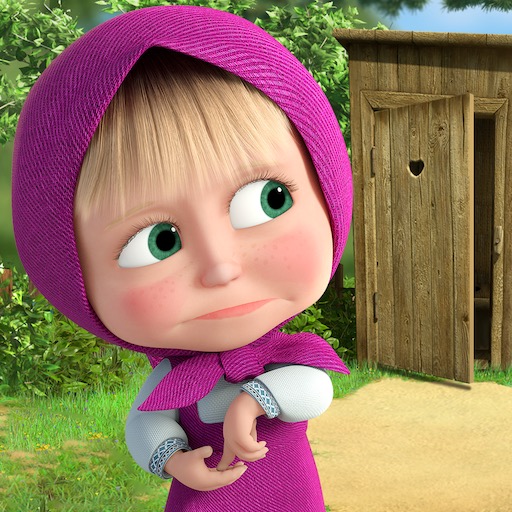
Masha and the Bear: My Friends places familiar characters from the animated series inside a simple virtual-life structure. Children help with everyday routines, visit locations, choose clothes, prepare food, clean, care for characters, and enter small activities. The emphasis is on recognition and pretend play rather than winning difficult levels.
The interface uses bright objects, large touch targets, and visible reactions. A young player can usually discover what an item does by dragging or tapping it. Familiar voices and environments make the app easier to approach for children who already watch the series, while customization gives them some control over how Masha or the surrounding spaces look.
The activity loop is intentionally repetitive. Routine tasks return, interactions have limited outcomes, and progression may unlock additional clothes, locations, or characters rather than introducing deeper systems. That can be comforting for a preschool audience but quickly becomes thin for older children.
Parents should inspect the current version before use. Free children's apps may include advertising, optional purchases, subscriptions, or locked content, and availability can vary by region. Device purchase controls and supervised sessions are important even when the on-screen subject appears harmless.
My Friends works best as a short, shared digital play session. Adults can discuss routines, ask the child to choose an outfit for a reason, or reproduce a simple activity with toys. It is not a role-playing game in the conventional sense and should not be evaluated for combat, narrative choice, or complex simulation.
Base Info
Official Sources
LumenPlays points players to official store and publisher pages where available. Use these links to review current pricing, availability, privacy details, and device requirements.
Screenshots
How to Play Masha and the Bear: My Friends
An adult should review the current store listing, permissions, purchase options, and advertising before the first session. Enable purchase authentication and select a child-appropriate device profile where available. Choose a character or location from the main screen.
Tap highlighted objects or drag items toward a character to begin a routine. Food goes to eating areas, clothing to the character, and cleaning or care tools to the matching visual problem. Watch the character's reaction to understand whether the action was accepted.
Let the child choose between available activities instead of trying to clear every icon. Ask simple questions about the choice: which clothes suit the weather, what should happen before bedtime, or which object belongs in the room. These prompts add more value than repeating the task silently.
Locked items may require progress, an advertisement, or payment. Do not unlock content automatically; confirm the cost and whether it meaningfully expands play. Keep sessions short and end at a natural routine boundary.
Continue with physical dolls, drawing, or pretend household play so the app remains one activity rather than the entire play pattern.
Pros
- Characters and environments are familiar to series fans.
- Large touch interactions are easy to discover.
- Routine play supports simple conversation with adults.
- Customization provides child-friendly choices.
Cons
- Activities repeat with limited variation.
- Some content may be locked behind ads or purchases.
- Older children may outgrow the simple interactions quickly.
Beginner Tips
- Enable purchase authentication before play.
- Drag objects toward the character or matching location.
- Let the child choose a small number of activities.
- Discuss the routine instead of rushing rewards.
- Treat locked content as optional.
FAQ
What type of game is My Friends?
It is a child-oriented virtual-life and activity app focused on routines, customization, and simple character interactions.
Is reading required?
Many interactions use visual prompts and character reactions, though adult help may be needed for menus, purchases, or instructions.
Is all content free?
Current access can include locked activities, advertisements, purchases, or subscriptions, so parents should inspect the live listing.
Is it suitable for unsupervised play?
The mechanics are simple, but adult supervision is recommended for screen time, privacy, advertising, and purchase controls.
Similar Games