Description
Modern Ops provides fast mobile team firefights, familiar weapon classes, loadout upgrades, and competitive modes with accessible controls. Its shooting is immediately playable, but equipment progression, bots, and monetized advantages complicate fair matchmaking.
Modern Ops: Online Shooter FPS Review
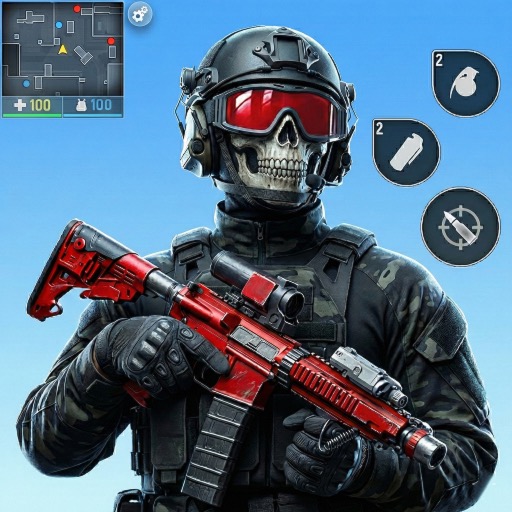
Modern Ops is an online first-person shooter designed around short mobile matches. Players move, aim, fire, throw equipment, and swap weapons across compact maps in modes such as team deathmatch, free-for-all, point control, and bomb-based objectives depending on the current rotation. The control scheme follows established mobile FPS conventions.
A virtual stick handles movement, the right side aims, and optional automatic firing can reduce the difficulty of shooting on a touchscreen. Weapon categories cover assault rifles, submachine guns, shotguns, snipers, machine guns, pistols, and melee tools. Maps favor quick contact and recognizable lanes.
Learning spawn routes, cover positions, head height, and common flanks produces more improvement than running directly toward every gunshot. Team modes reward holding angles and trading eliminations, even when public teammates do not communicate. Long-term progression includes weapon acquisition, upgrades, attachments or statistics, character perks, skins, leagues, and seasonal rewards.
This gives regular players goals but can create power differences beyond mechanical skill. Matches may also include bots or opponents whose equipment development differs substantially. Modern Ops succeeds as a convenient mobile shooter with responsive pacing.
It is less convincing as a strictly balanced esport because weapon strength and account progression matter. Players should experiment with sensitivity and a small set of guns before spending upgrade currency. Cosmetic presentation is broad, but purchases and rewarded advertising deserve the same scrutiny as any competitive free-to-play game.
Base Info
Official Sources
LumenPlays points players to official store and publisher pages where available. Use these links to review current pricing, availability, privacy details, and device requirements.
Screenshots
How to Play Modern Ops: Online Shooter FPS
Configure sensitivity, aim assistance, firing mode, and button positions before entering competitive matches. Use a practice or early mode to test whether automatic fire or a dedicated fire button provides better control. Keep the crosshair near likely head height while moving.
Choose one primary weapon suited to the map. Submachine guns and shotguns favor close routes, assault rifles handle mixed lanes, and snipers need sight lines and distance. Move between cover rather than reloading in open space.
Watch the minimap and teammate positions to estimate enemy spawns. In objective modes, protect the capture or bomb area instead of chasing a distant elimination. Use grenades to clear predictable cover and avoid throwing them without a likely target.
Spend upgrade resources on a small number of weapons that remain comfortable across several maps. Compare actual recoil, range, and kill consistency rather than buying solely from the displayed rating. Complete daily tasks when they align with normal play, and review ranked or event rules before entering.
A stable connection and headphones improve reaction to footsteps and shots.
Pros
- Matches reach combat quickly.
- Control options support different mobile preferences.
- Weapon classes cover several play styles.
- Objective modes reward more than elimination count.
Cons
- Equipment progression affects competitive balance.
- Bots and matchmaking quality can vary.
- Monetization is closely tied to weapons and upgrades.
Beginner Tips
- Adjust sensitivity before judging weapon accuracy.
- Keep the crosshair at likely head height.
- Reload behind cover.
- Select weapons according to map range.
- Upgrade a small reliable arsenal first.
FAQ
Is Modern Ops an offline shooter?
No. Its main modes, progression, and matchmaking are designed around online play.
Does the game support automatic firing?
Control options can include aim assistance or automatic fire, depending on the current version and settings.
Which weapon should a beginner upgrade?
A controllable assault rifle is a flexible starting choice, but the best investment is a weapon tested successfully across several maps.
Are all opponents human players?
Online matches may include bots or replacement players, especially during onboarding or when filling a lobby.
Similar Games