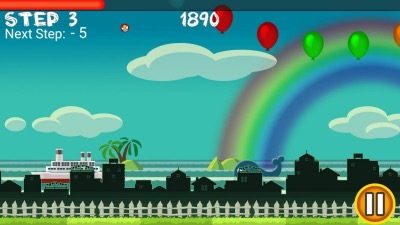
Description
Flick Home Run turns one finger swipe into an expressive baseball launch, with distance challenges and unusual balls rewarding angle control. Its simple physics remain satisfying, but repetition, old mobile design, and uneven platform availability show its age.
Flick Home Run Review
Flick Home Run is an arcade batting game controlled by swiping across the screen. The direction, speed, and contact point of the gesture determine the ball’s launch angle and distance. A clean upward drive can clear several landmarks, while a poor swipe produces a weak grounder or miss.
The pleasure comes from immediate physical feedback. Small changes in the gesture visibly alter the flight, and distance markers make improvement easy to understand. Different ball types and modes modify weight, movement, targets, or available outs, forcing adjustments instead of one universal swipe.
Progression adds statistics and unlocks, but the core remains score chasing. Players repeat short sets, preserve limited outs, and try to extend a run through consistent contact. It is closer to a carnival batting challenge than a baseball simulation: there are no fielding decisions, pitch sequences, or team management.
The design is now visibly old. Menus, progression pacing, and some device behavior belong to an earlier mobile era. The former Android package currently returns a missing store page in the US, while Apple’s official lookup still identifies the iOS product.
Availability should therefore be checked on the intended device before relying on an old link. Despite that age, a strong hit still feels good because the player creates it directly with a gesture. Flick Home Run is best for brief score sessions, not a long sports career.
Players who enjoy learning touch physics will get more from it than those looking for licensed baseball content.
Base Info
Official Sources
LumenPlays points players to official store and publisher pages where available. Use these links to review current pricing, availability, privacy details, and device requirements.
Screenshots
How to Play Flick Home Run
Wait for the ball to enter the hitting area, then swipe through it in the desired launch direction. A faster gesture generally produces more power, while the swipe angle controls trajectory. Contact below the center tends to lift the ball; excessive upward angle sacrifices useful forward distance.
Begin with smooth, repeatable swipes rather than maximum speed. Watch the complete flight and adjust one variable at a time. If hits climb too steeply, flatten the gesture.
If they stay low, move the contact point slightly beneath center. Each mode may limit outs, require a target distance, or introduce balls with unusual behavior. Preserve attempts by adapting to the ball instead of repeating the exact same motion.
Learn the timing window before spending upgrades on power. Use earned points on attributes that address a consistent weakness. More raw power does not fix unreliable contact, and a stable gesture often improves scores faster than another upgrade.
Keep the screen clean and avoid beginning the swipe outside the responsive area. Confirm current store compatibility before purchase or transfer, especially on Android where the historical listing may no longer be available.
Pros
- Swipe input gives hits direct physical character.
- Flight feedback makes adjustment intuitive.
- Special balls vary the basic challenge.
- Short rounds encourage score improvement.
Cons
- Modes become repetitive over long sessions.
- Interface and progression feel dated.
- Android availability is currently uncertain.
Beginner Tips
- Use a smooth swipe before chasing maximum speed.
- Change only one gesture variable at a time.
- Flatten overly high launch angles.
- Adapt timing for special ball types.
- Prioritize consistent contact over upgrades.
FAQ
Is Flick Home Run a baseball simulation?
No. It is an arcade distance and accuracy game focused entirely on swipe-controlled batting.
How do I hit farther?
Combine clean timing with a fast, moderately upward swipe; excessively steep contact wastes forward distance.
Is the game still available?
Apple’s official lookup still returns the iOS app, while the old US Google Play package currently returns 404.
Do upgrades replace skill?
Upgrades help, but inconsistent contact and launch angle will continue to limit distance.
Similar Games