Description
HOMER is a broad early-learning subscription with reading, stories, songs, math, and creative activities personalized for young children. Its structured library can support families, but adult involvement and careful subscription management remain essential.
HOMER Learn & Grow Review
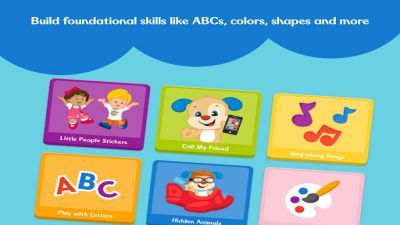
HOMER Learn & Grow is an educational service for young children rather than a conventional game. It organizes phonics, vocabulary, stories, early math, songs, drawing, and related activities into a personalized path based on age and interests. The app is strongest when it gives a family a clear next activity without requiring an adult to search a large video catalogue.
Short lessons use repeated sounds, matching, tracing, and narration. Familiar themes can improve willingness to participate. Personalization does not replace teaching.
A child may tap through an exercise without understanding it, mispronounce a sound the app cannot evaluate, or need an adult to connect a digital word to conversation and books. Shared use also reveals whether the assigned level is appropriate. HOMER is subscription-based, and trial length, price, family profiles, and included products can change.
Guardians should review renewal terms in the platform account and not rely on old retail listings. Screen time, privacy, and external account settings deserve the same attention as educational content. Used in short sessions alongside reading and play, HOMER can provide useful practice.
It should not be presented as a guaranteed learning outcome or a replacement for school, assessment, speech support, or direct interaction.
Base Info
Official Sources
LumenPlays points players to official store and publisher pages where available. Use these links to review current pricing, availability, privacy details, and device requirements.
Screenshots
How to Play HOMER Learn & Grow
A guardian creates the account and child profile, selecting age, interests, and current learning information. Review the proposed path and begin with a short activity while sitting with the child. Let the child attempt taps, matching, tracing, and spoken responses independently, then help only when confusion persists.
Ask follow-up questions and repeat sounds aloud. Move from the screen to a physical book, drawing, counting objects, or conversation when possible. Use separate profiles for children at different levels so recommendations and progress do not mix.
Adjust the path if activities are consistently too easy or frustrating. Stop a session before attention disappears; completing more screens is not the same as learning more. Guardians should check subscription price, trial end date, renewal method, cancellation route, privacy settings, and download options.
Enable purchase restrictions on shared devices. Review progress as a general signal rather than a formal assessment, and consult educators or specialists when a child has persistent learning or language concerns.
Pros
- Covers several early-learning domains.
- Personalized paths reduce content searching.
- Activities use child-friendly themes.
- Family profiles can separate progress.
Cons
- Ongoing access requires a subscription.
- Learning value falls without adult involvement.
- Progress reports are not formal assessment.
Beginner Tips
- Use a separate profile for each child.
- Play alongside the child initially.
- Connect lessons to physical books and objects.
- Keep sessions short.
- Record the trial renewal date.
FAQ
Is HOMER a game?
It is an early-learning subscription containing interactive activities, stories, songs, and practice rather than one traditional game.
Does it teach children without adult help?
It can provide independent practice, but adult conversation and real-world reinforcement significantly improve value.
Is HOMER free?
Offerings can include trials or limited access, but full use is generally tied to current subscription terms.
Can progress diagnose a learning difficulty?
No. App progress is not a clinical or educational diagnosis; concerns should be discussed with qualified professionals.
Similar Games