Description
Tile Explorer is a polished triple-match puzzle built around managing a small holding tray rather than swapping pieces on a board. It is relaxing at first, though later layouts increasingly lean on boosters, hidden layers, and repeated attempts.
Tile Explorer - Triple Match Review
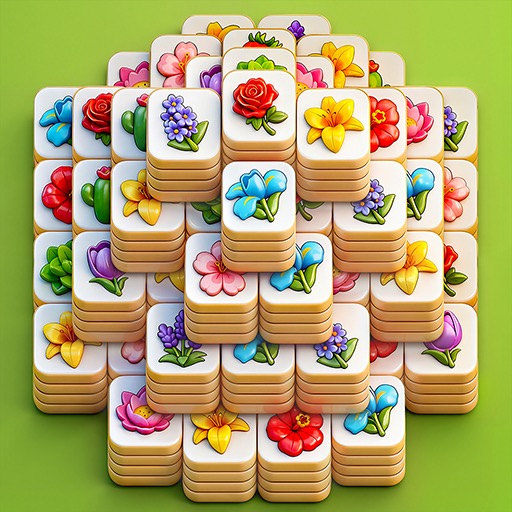
Tile Explorer presents stacks of illustrated tiles and asks the player to clear them by collecting three identical symbols. Tapped tiles move into a limited tray, where matches disappear automatically. The key decision is not simply spotting a trio; it is choosing which covered pieces to expose without filling every tray slot with unrelated symbols.
Early levels are calm and readable, making the game suitable for brief sessions. Later boards add deeper stacks, visual overlap, locked elements, and more opportunities to commit to an unhelpful tile. The artwork is clean enough that symbols remain distinguishable, and completion effects provide satisfying feedback.
Boosters can undo, shuffle, or hold pieces when the board becomes difficult. They are useful safeguards, but their presence also shapes higher-level balance. Ads, event prompts, and optional purchases interrupt what is otherwise a straightforward puzzle routine.
Randomized or obscured arrangements sometimes make a failed attempt feel less like a reasoning error and more like insufficient information. Tile Explorer is best for players who enjoy methodical sorting and do not mind a mobile progression layer around it. It offers dependable relaxation, but not the depth of a handcrafted logic puzzle.
Base Info
Official Sources
LumenPlays points players to official store and publisher pages where available. Use these links to review current pricing, availability, privacy details, and device requirements.
Screenshots
How to Play Tile Explorer - Triple Match
Tap an available tile to move it into the holding tray. When three tiles with the same symbol are present, they disappear and free their slots. Clear every tile to finish the level.
The attempt fails if the tray fills before another triple can be completed. Look for complete or nearly complete sets before tapping isolated symbols. Prioritize tiles that uncover several pieces beneath them, but check whether the exposed symbols can contribute to existing tray groups.
Keep at least one empty slot whenever possible so a necessary temporary tile does not end the run. Work from the upper layers and edges toward blocked central stacks. Do not collect a third or fourth unrelated symbol merely because it is available.
Use undo after a clearly harmful tap, shuffle when no visible sequence supports the tray, and reserve extra-slot tools for late-stage congestion. Event levels may use different goals or resources, so read their rules before spending boosters earned in the main game.
Pros
- Clear and approachable triple-match rules
- Clean artwork keeps symbols readable
- Short levels suit casual sessions
- Tray management adds planning beyond simple matching
Cons
- Later stages rely heavily on hidden information
- Ads and event prompts interrupt play
- Boosters can become important for difficult layouts
Beginner Tips
- Scan for a full triple before moving the first tile.
- Prefer tiles that reveal multiple covered pieces.
- Keep at least one tray slot empty for temporary moves.
- Build around symbols already occupying the tray.
- Save boosters for late levels where hidden layers reduce available information.
FAQ
How are tiles removed?
Three tiles with the same symbol disappear automatically when placed together in the holding tray.
What causes a level to fail?
The level fails when every tray slot is occupied and no triple clears space.
Which tiles should be selected first?
Choose visible sets and tiles that reveal useful lower layers without adding too many unrelated symbols.
Are boosters required?
Early levels can be solved without them, while later layouts may make undo, shuffle, or extra space increasingly valuable.
Similar Games