Description
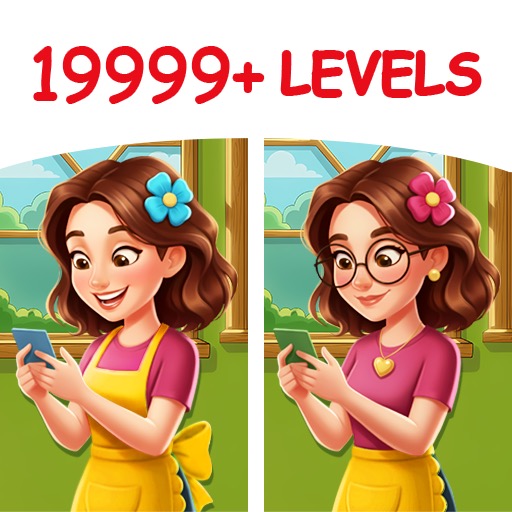
Hidden Object Games: Seek It offers colorful illustrated scenes and direct object-list searches suited to brief observation sessions. Zoom and hints improve accessibility, but small targets, ads, and limited puzzle variety can make later levels feel mechanical.
Hidden Object Games: Seek It Review
Hidden Object Games: Seek It asks players to locate listed objects inside crowded illustrated environments. Items may be normally scaled, partially obscured, color-matched to the background, or placed in a humorous context. The basic appeal is visual scanning.
A clear scene rewards attention to shape and silhouette rather than random tapping. Large environments can be enjoyable when objects remain legible after zooming; on smaller phones, tiny targets may become a test of screen resolution. Levels generally differ through theme and object placement rather than new rules.
Timers, limited mistakes, or special challenges can add pressure, while hints identify an overlooked region. This keeps the app accessible but leaves little strategic development beyond becoming a more systematic searcher. Advertising and hint rewards are the main friction.
A short scene can lead into an interruption, and repeated hints remove the reason to inspect carefully. Because the current listing is very recent, long-term catalogue depth and update support should be judged cautiously. Seek It is best for players who want simple hidden-object relaxation.
It does not offer the narrative, inventory puzzles, or adventure structure of more elaborate mystery games. Its value rests on readable art and reasonable ad frequency.
Base Info
Official Sources
LumenPlays points players to official store and publisher pages where available. Use these links to review current pricing, availability, privacy details, and device requirements.
Screenshots
How to Play Hidden Object Games: Seek It
Open a scene and review the object list or silhouettes. Tap each matching object in the illustration. Use pinch zoom and panning when details are too small, then return to a wider view to maintain orientation.
Search systematically. Divide the scene into rows or quadrants and finish one area before moving on. Compare shape, outline, color, and likely scale; an object may be rotated or partially hidden.
Avoid rapid tapping across the image because some modes penalize mistakes. After finding an item, inspect the space around it, since designers often cluster visual details. Check borders, shadows, signs, shelves, and repeated patterns for the final target.
Use a hint only after completing a full scan at more than one zoom level. If a timer is active, collect obvious objects first, then inspect dense areas. Adjust brightness for dark scenes and take breaks when visual fatigue begins.
Review optional ads before accepting a hint or reward, and do not purchase a large hint pack until the catalogue quality is clear.
Pros
- Rules require almost no tutorial.
- Illustrated scenes support casual observation.
- Zoom improves phone accessibility.
- Levels fit short sessions.
Cons
- Targets can be extremely small.
- Ads interrupt brief levels.
- Puzzle structure changes little.
Beginner Tips
- Search in a fixed grid.
- Use zoom for small targets.
- Compare silhouettes and rotation.
- Avoid random tapping.
- Save hints for the final object.
FAQ
Are objects always shown at normal size?
No. They may be rotated, partially hidden, color-matched, or scaled to fit the scene.
Why avoid random tapping?
Some modes penalize mistakes, and random input prevents a systematic search.
When should a hint be used?
After scanning the whole scene at multiple zoom levels and checking borders and dense patterns.
Does it include an adventure story?
The listing focuses on direct hidden-object scenes rather than a large inventory-based mystery adventure.
Similar Games