Description
PBS KIDS Games is a broad, child-focused library built around familiar public-media characters and early learning topics. The free, relatively calm experience is useful for families, although game quality, age fit, downloads, and educational depth vary considerably.
PBS KIDS Games Review
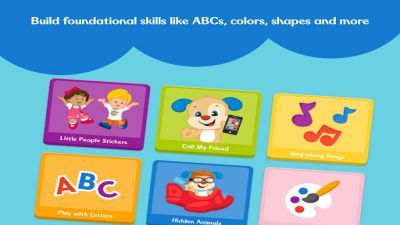
PBS KIDS Games collects a large number of short activities connected to PBS children's programs. Instead of following one campaign, children choose a show or character and open a game about reading, mathematics, science, creativity, routines, feelings, or simple problem solving. The strongest feature is range.
A preschooler can follow spoken directions in a Daniel Tiger activity, while an older child may investigate animals with Wild Kratts or work through a more structured logic challenge. Familiar voices and characters reduce the effort required to understand a new game. The collection generally avoids the aggressive reward loops found in many children's apps.
It is free, does not build progress around random paid items, and presents activities through a child-oriented interface. Parents should still review the current privacy notice, external links, device permissions, and any video or download behavior rather than assuming every screen is suitable for unsupervised use. Educational value is uneven because the library includes many developers, formats, and target ages.
Some games provide meaningful practice and clear feedback; others are brief entertainment tied loosely to a topic. An app cannot determine whether a child understood a concept or transfer it into daily life. PBS KIDS Games works best when an adult selects age-appropriate activities, observes where the child struggles, and connects the screen task to conversation or hands-on play.
Downloaded games can help during travel, but availability changes as programs rotate. It is a useful free library, not a complete curriculum or substitute for teaching.
Base Info
Official Sources
LumenPlays points players to official store and publisher pages where available. Use these links to review current pricing, availability, privacy details, and device requirements.
Screenshots
How to Play PBS KIDS Games
Open the grown-ups or settings area first and review language, audio, privacy, storage, and download options. Help the child browse by show or skill, then choose one activity that matches current reading ability and attention span. Listen to the spoken introduction before tapping.
Many games explain their objective through character dialogue and visual demonstrations rather than text. Let the child attempt a solution before giving the answer, and use a neutral prompt such as asking what changed or what the character needs. Some activities require an internet connection while others can be downloaded for offline use.
Open chosen games while connected, allow all required files to finish, then test them in airplane mode before travel. Remove old downloads if device storage becomes limited. Stop after a natural endpoint instead of moving automatically into another game.
Ask the child to describe the strategy, new word, animal fact, or social situation. Continue the idea with drawing, counting real objects, reading, or pretend play. Adults should periodically recheck the library because titles and show availability change.
Choose a harder or easier activity when the child is guessing repeatedly, frustrated by instructions, or completing every task without thinking.
Pros
- A large library covers several early learning topics.
- Familiar characters make instructions approachable.
- The app avoids typical gacha and energy systems.
- Some games can be prepared for offline use.
Cons
- Educational depth varies between activities.
- The large catalog can overwhelm younger children.
- Games and downloads may rotate or require storage.
Beginner Tips
- Choose activities by age and current interest.
- Let spoken instructions finish before tapping.
- Test downloaded games before offline travel.
- Discuss what the child practiced afterward.
- Rotate activities instead of chasing screen time.
FAQ
Is PBS KIDS Games a complete curriculum?
No. It provides supplementary activities and works best alongside adult guidance, reading, school, and hands-on learning.
Does the app require payment?
The core app is offered free, but families should verify the current official listing and privacy terms.
Can games work without internet access?
Some activities can be downloaded, but each selected game should be tested offline before travel.
What ages is it designed for?
The library broadly targets young children, but difficulty and reading demands vary substantially between games.
Similar Games