Description
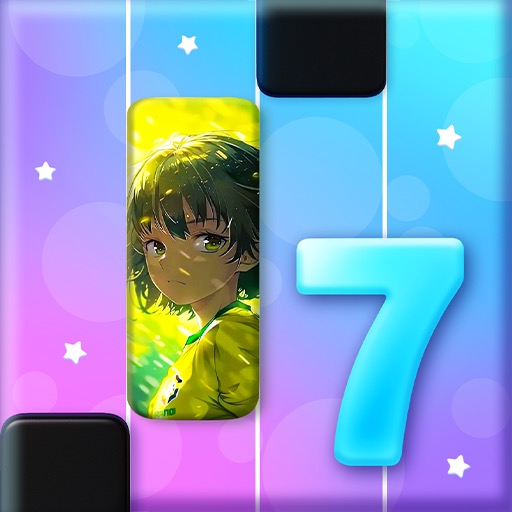
Music Piano 7 is a familiar falling-tile rhythm game with quick songs, simple tapping, and escalating note speed. It is accessible, but its changing catalog, cover recordings, advertisements, and unclear branding reduce confidence in long-term value.
Music Piano 7: Rush Song Games Review
Music Piano 7: Rush Song Games uses the familiar piano-tile format. Notes descend through lanes, and the player taps, holds, or swipes them near a scoring line. Missing a required tile or touching an empty area can break the combo or end the attempt.
The game is immediately understandable because the visual movement shows both timing and lane. Slower tracks introduce ordinary taps and sustained notes, while later songs increase speed, density, and alternating patterns. Replaying a chart improves score and unlocks additional content or rewards.
Its musical identity is less clear than the core mechanics. The Android package name references Magic Block Tiles, while current branding and store descriptions may change. Song catalogs can include pop-style covers, public-domain melodies, or tracks that resemble popular music without using an original master recording.
Players should inspect in-game credits rather than assume a named song uses the famous version. Advertising and unlock prompts are also part of the experience. A short chart can be followed by a video longer than the attempt, and some tracks or rewards may require repeated ads or purchases.
This works against the uninterrupted flow expected from a rhythm game. Music Piano 7 is suitable for casual timing practice and quick score chasing. It does not teach real piano technique, notation, or music theory.
Players seeking a stable premium catalog should compare alternatives, while those comfortable with a changing ad-supported library may enjoy its low entry barrier.
Base Info
Official Sources
LumenPlays points players to official store and publisher pages where available. Use these links to review current pricing, availability, privacy details, and device requirements.
Screenshots
How to Play Music Piano 7: Rush Song Games
Select a slower song and place fingers close to the bottom of the note lanes. Tap each tile as it reaches the scoring area. Avoid touching blank lanes because extra taps may count as errors.
For sustained notes, press at the head and keep contact until the tail ends. Use alternating fingers for repeated notes and lane transitions instead of trying to cover the entire chart with one hand. Swipe only when the displayed note specifically requires that gesture.
Listen to the beat while watching the scoring line. If correct-looking taps consistently register early or late, close background apps, change audio output, and use any available timing calibration. Wireless headphones can add delay.
Practice the exact section that breaks the combo. Do not increase difficulty until ordinary taps and holds are stable. Review whether a song is free, advertisement-supported, or part of a purchase before starting repeated unlocks.
Confirm the package and developer on the live store page, since title branding can change while the Android identifier remains the same.
Pros
- The basic rhythm rule is immediately readable.
- Short tracks fit quick sessions.
- Faster charts provide reaction challenges.
- Repeated play supports score improvement.
Cons
- Branding and catalog identity are inconsistent.
- Advertisements interrupt retries.
- It does not teach actual piano skills.
Beginner Tips
- Begin with slower songs.
- Keep fingers near the scoring line.
- Hold long notes through their complete tails.
- Alternate fingers during dense passages.
- Verify song and purchase terms in the current version.
FAQ
Is Music Piano 7 a piano-learning app?
No. It is a visual rhythm-tapping game rather than instruction in keyboard technique or notation.
Are songs original artist recordings?
Not necessarily. The catalog may use covers or other recordings, so current credits should be checked.
Why might the store use another title?
Publishers can change product branding while retaining the same package identifier.
Can timing be affected by headphones?
Yes. Bluetooth audio latency can make notes appear out of sync with the music.
Similar Games