Description
Find Out mixes hidden-object scenes with short logic puzzles and playful interactions. Its illustrated levels encourage experimentation and close reading, although obscure tap targets, hint pressure, and ads can turn clever discovery into trial and error.
Find Out Review
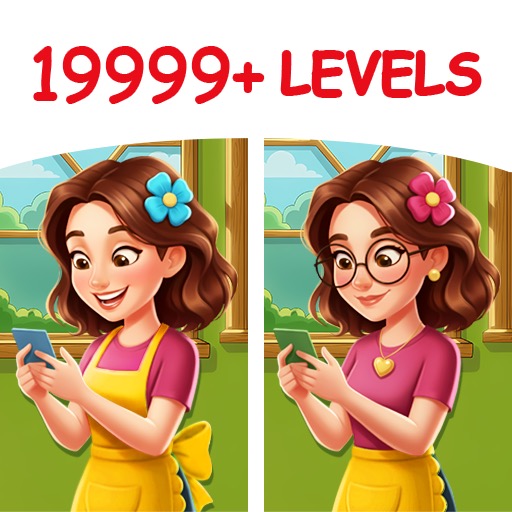
Find Out: Hidden Objects uses illustrated scenes rather than straightforward photographic lists. A level may ask the player to locate concealed objects, but several targets only appear after an item is moved, a device is tilted, a character is helped, or a small cause-and-effect puzzle is completed. That interactivity gives the game more personality than a conventional hidden-object collection.
A suspicious cabinet, loose panel, unusual expression, or reusable tool can signal the next step. The strongest scenes establish a visual story and allow a solution to be inferred from nearby clues. They reward curiosity rather than raw tapping speed.
Not every solution is equally readable. Small touch zones and mobile-screen scale can hide an important object, while some actions depend on gestures the scene does not clearly teach. When experimentation fails, hints prevent a complete stop, but the surrounding advertising and reward structure can make assistance feel less elegant than the puzzle itself.
Different modes provide object hunts, themed episodes, and occasional brain-teaser structures. The variety keeps the early hours lively, though repeated interactions eventually become recognizable. Find Out works best when played slowly: inspect the entire scene, test a plausible relationship, and observe what changed.
Randomly tapping every object removes the satisfaction and may trigger penalties. It is an appealing choice for players who like visual riddles with light narrative humor. Players seeking strict deduction may find several answers too arbitrary.
The game’s quality lies in its hand-drawn scenes and small surprises, not in a perfectly consistent rule system.
Base Info
Official Sources
LumenPlays points players to official store and publisher pages where available. Use these links to review current pricing, availability, privacy details, and device requirements.
Screenshots
How to Play Find Out
Select a scene and review the target objects shown around the interface. Search the illustration, tap any visible target, and watch for animation or dialogue that suggests an interactive element. Some listed objects cannot be collected until another action reveals them.
Drag tools toward places where their function makes sense. Swipe doors or curtains, combine related objects, tap characters in a logical order, and try device motion only when the scene provides a clue. After every successful action, inspect the changed area again because a new target may now be exposed.
Work from large environmental clues toward small details. Check shelves, pockets, reflections, silhouettes, and objects whose color blends into the background. Do not repeatedly tap the entire screen; besides possible penalties, it makes it difficult to understand which action caused a change.
Use a hint after testing the scene’s obvious relationships, not immediately after failing to see a target. If a hint points to an area, zoom mentally into the interaction rather than tapping once and leaving. For multi-stage puzzles, remember which objects remain movable.
Complete daily or event scenes only when their rewards are useful, and avoid watching several ads merely to bypass a puzzle that may become clear after a short break.
Pros
- Interactive scenes go beyond simple object lists.
- Illustrations contain strong visual humor.
- Modes provide useful puzzle variety.
- Short levels fit casual play.
Cons
- Some solutions are insufficiently signposted.
- Small touch targets can cause frustration.
- Hint and ad systems interrupt discovery.
Beginner Tips
- Inspect the scene before touching anything.
- Drag tools to logically related objects.
- Recheck an area after every animation.
- Avoid random full-screen tapping.
- Use hints only after testing visible clues.
FAQ
Why is a listed object not visible?
It may need to be revealed by moving another item, solving a small interaction, or changing the scene.
Does Find Out use phone gestures?
Some levels may use dragging, swiping, repeated taps, or device-related interactions when clues support them.
Are all levels traditional hidden-object puzzles?
No. The app mixes object searches with illustrated logic scenes and short interactive riddles.
What should I do when stuck?
Review movable items and recent changes first, then use a hint if no logical interaction remains.
Similar Games