Description
Color by Number offers a large library of pixel-style pictures that are filled by matching numbered cells to a palette. It is relaxing and accessible, but subscriptions, ads, repetitive tapping, and user-generated image concerns require attention, especially for children.
Color by Number:Coloring Games Review
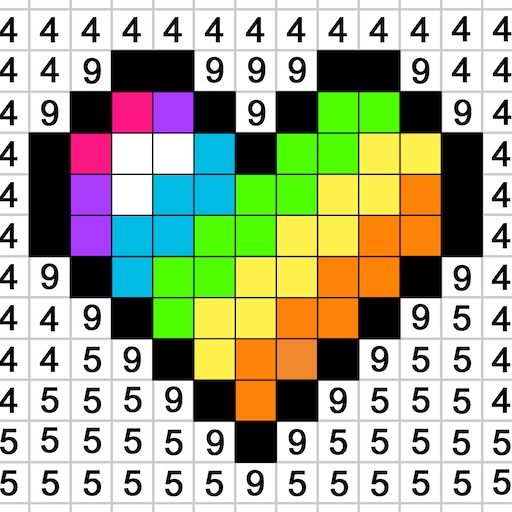
Color by Number: Coloring Games turns pictures into numbered regions. The player selects a color from the palette, finds cells carrying the matching number, and taps or drags across them until the image is complete. Categories range from animals and landscapes to patterns and seasonal artwork, with new pictures and optional imported images extending the catalog.
The activity is low pressure and provides a strong sense of gradual completion. Zooming reveals small regions, completed colors are marked clearly, and drag filling makes large areas faster. It can function as a quiet fidget activity when players want structure without competition.
The experience is repetitive by design. Complex images may require hundreds of nearly identical taps, while accidental misses and tiny cells can become irritating. Advertising and subscription prompts may interrupt the calm tone, and premium access can be expensive relative to the simple interaction.
Imported or community content may have different moderation standards than the curated catalog. Parents should review ads, purchases, sharing, and image-import permissions. Color by Number is best as a casual digital coloring book, not an art-learning tool or substitute for open-ended drawing.
Base Info
Official Sources
LumenPlays points players to official store and publisher pages where available. Use these links to review current pricing, availability, privacy details, and device requirements.
Screenshots
How to Play Color by Number:Coloring Games
Choose an image and select a numbered color from the palette. Zoom into the picture, then tap cells carrying that number. Drag across connected cells where supported to fill larger regions quickly.
Completed colors are usually marked or removed from active selection. Work from large regions toward small details so the image becomes easier to read. Use the locator or hint only when a tiny remaining cell cannot be found.
Avoid rapid swipes near other numbered regions if the app penalizes incorrect touches. Review subscription terms before starting a trial and disable unintended renewal through the platform account if necessary. For children, restrict purchases and supervise imported photos or community galleries.
Take breaks during detailed pictures to reduce eye and hand fatigue. Use completed palette indicators to narrow the search rather than scanning every cell repeatedly. For imported pictures, choose clear images with strong contrast; detailed photographs often create excessive tiny regions.
Save finished work locally only after reviewing the app's photo and storage permissions.
Pros
- Large picture catalog.
- Calm and untimed interaction.
- Clear completion feedback.
- Easy for almost any age to understand.
Cons
- Highly repetitive input.
- Ads and subscriptions interrupt relaxation.
- Community or imported content needs supervision.
Beginner Tips
- Fill large regions first.
- Zoom for tiny cells.
- Use hints only for the final missing areas.
- Review subscription renewal terms.
- Supervise imports and purchases for children.
FAQ
Is Color by Number free?
A free catalog is generally available, while ads, subscriptions, and premium pictures vary by version.
Can personal photos be imported?
Some versions support creating numbered art from images, which requires appropriate photo permissions.
Is it a drawing app?
No. It is structured filling based on predefined numbered regions rather than freehand art creation.
Is it suitable for children?
The activity may be, but adults should review ads, subscriptions, sharing, and image permissions.
Similar Games