Description
Mini Fidget Antistress Games offers digital switches, textures, sorting tasks, and simple sensory toys without demanding scores. It can fill a quiet moment, but repetitive interactions, ads, and unsupported wellness claims limit its usefulness.
Mini Fidget Antistress Games Review
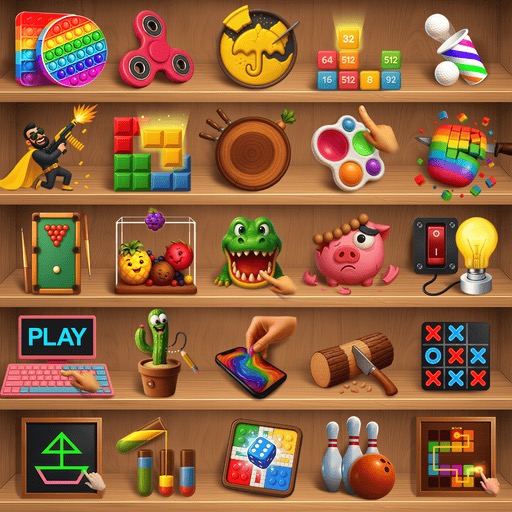
Mini Fidget Antistress Games gathers small digital activities intended to imitate fidget toys or provide simple repetitive interaction. Depending on the current version, the menu may include switches, buttons, bubbles, sliders, cutting, cleaning, sorting, drawing, sounds, or lightweight puzzles. The strongest activities respond immediately and clearly.
A switch clicks, an object moves with the finger, or a pattern becomes orderly after several gestures. There is little pressure to win, and many toys can be abandoned at any moment. That makes the app accessible to players who do not want timers, competitive rankings, or a complicated tutorial.
Digital fidgets cannot reproduce the weight, texture, resistance, or privacy of a physical object. Haptic feedback and sound provide some sensation, but the screen remains the same surface across every toy. A collection also creates uneven quality: one interaction may feel responsive while another exists mainly to trigger a completion screen.
The title's use of antistress should not be interpreted as a medical claim. The app may offer a pleasant distraction, but it is not treatment for anxiety, sensory needs, or another condition. Advertising can also conflict with the intended calm tone, especially when loud video appears between quiet activities.
The app works best when users select a few satisfying tools, disable intrusive sound, and play briefly. Adults should examine privacy, ads, and purchases before giving it to a child. Anyone seeking consistent sensory regulation may prefer a suitable physical fidget or professional guidance.
Base Info
Official Sources
LumenPlays points players to official store and publisher pages where available. Use these links to review current pricing, availability, privacy details, and device requirements.
Screenshots
How to Play Mini Fidget Antistress Games
Browse the activity menu and select a toy whose sound and motion fit the current setting. Most interactions respond to tapping, dragging, swiping, holding, or repeating a gesture. There may be no score or final objective.
Try each control slowly first. For switches and buttons, tap individual targets; for sliders or cleaning activities, drag along the visible path; for sorting puzzles, move each object to a matching outline or container. Enable vibration only if the device feedback is comfortable.
Use headphones cautiously because sudden advertisements may be louder than the selected toy. Turn off sound for public or quiet spaces. If an activity requires watching an advertisement to unlock, decide whether the interaction is worth the interruption rather than unlocking the entire menu.
Keep sessions short and stop if repetitive movement becomes uncomfortable. The app can be a casual distraction but should not replace treatment, accessibility tools, or advice from a qualified professional. Parents should review content, purchase controls, advertising, and data practices before unsupervised use.
Pros
- Most toys are immediately understandable.
- There is little competitive or timing pressure.
- Sound and haptic feedback add basic responsiveness.
- The library offers several interaction styles.
Cons
- A touchscreen cannot reproduce physical fidget feedback.
- Activity quality is inconsistent.
- Advertisements undermine the quiet presentation.
Beginner Tips
- Choose activities appropriate for the current sound setting.
- Test vibration before using it repeatedly.
- Disable sound when ads or effects are disruptive.
- Unlock ad-supported toys selectively.
- Stop repetitive gestures if they cause discomfort.
FAQ
Is this a medical antistress tool?
No. It is a casual collection of digital interactions and should not be presented as treatment.
Do the activities have scores?
Many are open-ended sensory toys, while some include simple puzzle or completion goals.
Can the app replace a physical fidget?
It may provide visual, audio, and vibration feedback, but cannot reproduce physical texture, weight, or resistance.
Is it appropriate for children?
Simple controls may be accessible, but adults should review advertising, privacy, sound, and purchase settings.
Similar Games