Description
Mini Challenges: Calm Games packages many one-touch puzzles and novelty interactions into quick offline sessions. The variety is convenient, but quality varies sharply and frequent advertising can work against the quiet, low-pressure experience it promises.
Mini Challenges: Calm Games Review
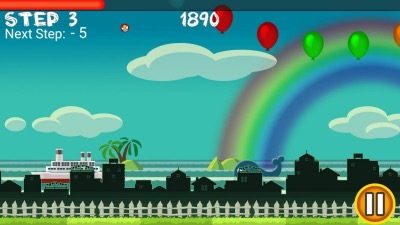
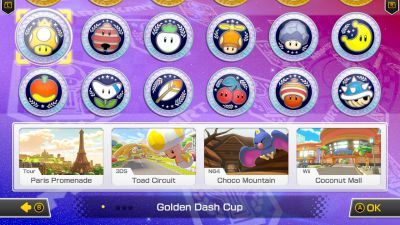
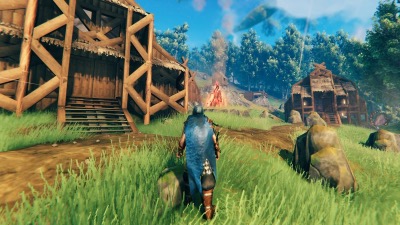
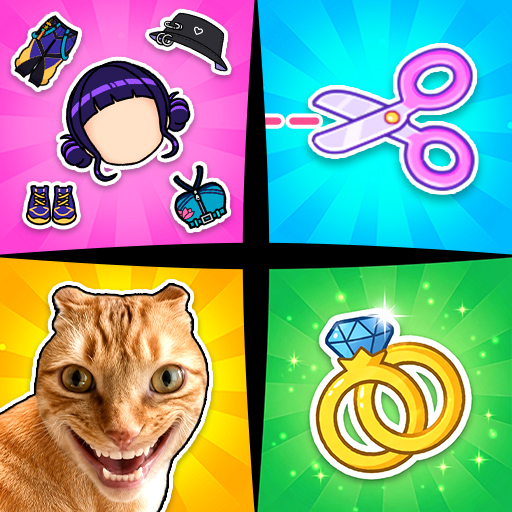
Mini Challenges: Calm Games is a collection rather than one sustained game. Its menu leads to short activities built around tapping, timing, sorting, tracing, cutting, balancing, matching, or interacting with simple objects. Most can be understood within a few seconds and end before a deeper system develops.
That breadth is useful when a player wants a brief distraction without learning a complex rule set. A timing challenge may be followed by an organization puzzle or a purely tactile animation. Offline availability for some activities also makes the collection practical during travel, though current behavior should be tested before relying on it without a connection.
The tradeoff is inconsistency. Controls, difficulty, feedback, and visual polish can differ from one minigame to the next. Some activities feel like complete micro-puzzles, while others resemble interactive advertisements or demonstrations of a single gesture.
Players are likely to settle on a few favorites and ignore much of the library. The word calm describes the intended tone, not a health outcome. The app should not be treated as therapy or as evidence-based anxiety treatment.
Advertising frequency is especially relevant because a long interstitial between ten-second games can create more interruption than relaxation. Mini Challenges is best approached as a disposable sampler. It offers low commitment and varied inputs, but it lacks the consistency and authored progression of a focused puzzle game.
Parents should also review ads, data practices, and purchase controls before allowing unsupervised use.
Base Info
Official Sources
LumenPlays points players to official store and publisher pages where available. Use these links to review current pricing, availability, privacy details, and device requirements.
Screenshots
How to Play Mini Challenges: Calm Games
Open the minigame list and choose one activity rather than tapping random recommendations. Read the first visual prompt and test the basic gesture: most games use a tap, hold, swipe, drag, or release at the correct moment. Complete the immediate objective shown on screen.
Timing games reward waiting for a target position, sorting games require moving objects to matching areas, and tactile activities may have no failure condition beyond finishing the interaction. Restart when the rule becomes clear instead of spending a booster on the first attempt. Use favorites or recently played sections if the app provides them.
The collection is easier to enjoy when returning to a small set of responsive games instead of repeatedly searching through weaker entries. Turn off sound or vibration individually if a supposedly quiet activity uses distracting feedback. Test offline mode before travel because ads, rewards, or newly downloaded activities may still require a connection.
Treat reward advertisements as optional. Stop after a few rounds when the interactions become repetitive, and do not rely on the app for medical stress management. Parents should configure purchases and review the current age rating and privacy disclosures.
Pros
- Many activities require almost no learning time.
- Short rounds suit small breaks.
- Input styles vary across the collection.
- Some content can be used without a connection.
Cons
- Quality and polish vary between minigames.
- Interstitial ads can exceed the length of an activity.
- The collection offers little long-term progression.
Beginner Tips
- Test the main gesture before trying to play quickly.
- Keep a small list of favorite activities.
- Restart once the rule is understood.
- Test offline access before traveling.
- Treat relaxation claims as entertainment language.
FAQ
Is Mini Challenges one continuous game?
No. It is a menu of independent short activities with different rules and controls.
Does it work offline?
The listing promotes offline play, but downloaded content, advertisements, and rewards should be tested on the current version.
Can it treat stress or anxiety?
No medical conclusion should be drawn from the title; it is a casual entertainment collection, not therapy.
Are all minigames equally difficult?
No. They range from simple tactile interactions to timing and puzzle tasks, with inconsistent depth and polish.
Similar Games