Description
Block Craft 3D: Realm Builder offers familiar voxel exploration and free-form construction on mobile, with enough gathering and crafting to support casual creativity. Its identity is generic, controls can be awkward, and ads or progression gates may frustrate players expecting Minecraft's depth.
Block Craft 3D: Realm Builder Review
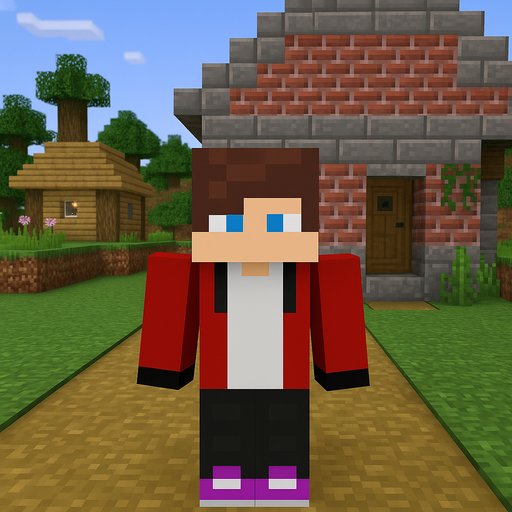
Block Craft 3D: Realm Builder follows the recognizable voxel sandbox loop. Players explore a block-based landscape, gather materials, craft useful items, and place blocks to shape houses, farms, towers, or larger settlements. Survival-style systems and discovery provide structure, while building remains the primary reason to stay.
The appeal is straightforward. Touch controls let players remove and place blocks without learning a complicated editor, and the grid makes large ideas approachable one cube at a time. Different biomes or resources encourage travel beyond the starting area, while recipes and tools create a gradual path from a basic shelter to a more ambitious realm.
For players who mainly enjoy decorating and construction, even a limited sandbox can produce hours of personal projects. The game sits in a crowded category and does little to distinguish itself visually or mechanically. Movement, camera control, and precise block placement are less comfortable on a phone than with a mouse or controller.
Crafting balance, world generation, enemy behavior, and multiplayer features may not match the depth implied by comparisons to larger sandbox games. Advertising and mobile progression systems can further interrupt creativity. Realm Builder is worth considering as a lightweight portable building toy, but expectations should remain modest: its strength is accessible construction, not a complete substitute for the genre's most developed worlds.
Base Info
Official Sources
LumenPlays points players to official store and publisher pages where available. Use these links to review current pricing, availability, privacy details, and device requirements.
Screenshots
How to Play Block Craft 3D: Realm Builder
Explore the starting area and collect common blocks, wood, stone, food, or other basic resources. Open the crafting menu to turn raw materials into tools and construction pieces. Build a small shelter first so storage and navigation have a safe reference point.
Select a block from the inventory, aim at the desired grid face, and place it. Remove misplaced blocks carefully so adjacent work is not damaged. Use repeated patterns and a simple foundation when starting a large structure; decorative detail is easier after the main shape is stable.
Mark routes with distinctive blocks or landmarks before traveling far. Upgrade tools when stronger materials become available, and keep essential resources separate from decorative stock. If survival hazards exist, carry food and avoid beginning a long expedition with a full inventory.
Review permissions and multiplayer options before joining shared spaces. Optional ad rewards can accelerate gathering, but creative plans are easier to manage when they do not depend on temporary bonuses.
Pros
- Free-form block placement supports personal construction.
- Basic crafting gives exploration a purpose.
- Grid-based building is easy to understand.
- Mobile format makes short creative sessions convenient.
Cons
- The voxel concept and presentation are highly generic.
- Precise camera and block placement can be awkward.
- Systems may lack the depth of major sandbox games.
Beginner Tips
- Build a small shelter and storage area before starting a large project.
- Mark the route home with visible landmarks.
- Lay out a foundation before adding walls and decoration.
- Keep essential crafting materials separate from decorative blocks.
- Test multiplayer and permission settings before sharing a world.
FAQ
What do you do in Block Craft 3D: Realm Builder?
Gather resources, craft tools or blocks, explore a voxel world, and construct a personal realm.
Is it the same as Minecraft?
No. It uses a familiar block-sandbox format but has its own content, balance, controls, and feature set.
What should I build first?
A small shelter, storage area, and recognizable landmark provide a practical base for later projects.
Can I build without planning?
Yes, but a foundation and material estimate reduce rebuilding when creating larger structures.
Similar Games