Description
Find Differences is a clean, approachable spot-the-difference game with abundant scenes and a useful hint system. It works well as a quiet observation exercise, though repeated visual tricks, advertising, and uneven image difficulty reduce long-term variety.
Find Differences Review
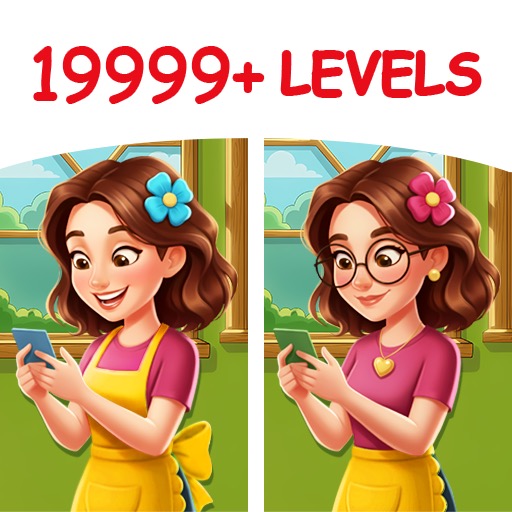
Find Differences by Guru Puzzle Game follows the familiar side-by-side picture format. Each level presents two nearly identical images and asks the player to identify a fixed number of altered details. Differences may involve a missing object, changed color, shifted shape, or small background element.
The game succeeds when its images are clear enough to reward careful scanning without making an answer depend on screen brightness or accidental compression. Tapping a valid change marks it on both panels, while hints reveal an overlooked area. A generous zoom function is especially important on phones, where a tiny line or texture can otherwise feel unfair.
Difficulty varies more by image than by a formal progression curve. Busy interiors and landscapes naturally hide edits better than portraits with large empty backgrounds. Timed or event levels add pressure, but the basic experience remains methodical rather than strategic.
Players who establish a consistent search pattern will solve scenes more reliably than those who tap at random. Advertising and limited hint economies are the main interruptions. A short puzzle can be followed by a video longer than the final search, and repeated wrong taps may trigger penalties depending on the current mode.
Find Differences is best treated as a relaxed visual puzzle for brief sessions. It does not reinvent the genre, but readable controls, varied photography, and low rules overhead make it easy to return to.
Base Info
Official Sources
LumenPlays points players to official store and publisher pages where available. Use these links to review current pricing, availability, privacy details, and device requirements.
Screenshots
How to Play Find Differences
Open a level and compare the two pictures. Tap the location of a genuine difference on either panel. A correct selection is marked in both images and added to the level total.
Find every required change to complete the scene. Begin with large shapes and strong color contrasts, then scan smaller details. Use a fixed route: move from the upper-left across each row, then continue downward.
Compare object edges, repeated patterns, reflections, shadows, text, and empty spaces where an item may have been removed. Pinch or use the game’s zoom control when details are too small. After zooming, inspect the same area in both images before panning onward.
Avoid rapid speculative taps because some modes penalize mistakes or interrupt the search. Save hints for the final one or two differences, when systematic scanning has already eliminated most of the picture. If a timed level is difficult, identify obvious changes first and leave dense backgrounds until later.
Adjust screen brightness enough to see dark areas, but take breaks when eye strain begins; longer staring usually makes small differences harder rather than easier to notice.
Pros
- Rules are immediately understandable.
- Zoom helps on smaller phone screens.
- Large scene library supports short sessions.
- Systematic observation is consistently rewarded.
Cons
- Image difficulty varies considerably.
- Ads can outlast a short level.
- The same alteration types repeat.
Beginner Tips
- Scan each image in a fixed grid.
- Check edges, shadows, and repeated patterns.
- Zoom before making a speculative tap.
- Save hints for the final difference.
- Take a break when visual fatigue starts.
FAQ
What counts as a difference?
Typical changes include missing objects, altered colors, modified shapes, moved details, and additions to one image.
Should I tap when I am unsure?
It is better to zoom and compare first because some modes penalize repeated incorrect taps.
When should hints be used?
Use them after completing a structured scan, especially when only one difficult difference remains.
Is speed required?
Many levels support relaxed play, while particular challenges or events may add a timer.
Similar Games